
[adinserter block=”3″]
What Do the Green and Orange Dots on Your Phone Really Mean?
Have you ever noticed a tiny green or orange dot appearing at the top of your phone screen and wondered what it was trying to tell you? You’re not alone. Millions of smartphone users see these indicators every day without realizing their true purpose.
These small colored dots are actually important privacy features designed to keep you informed about how your device is being used. While they may seem insignificant at first glance, they can provide valuable information about what is happening behind the scenes on your phone.
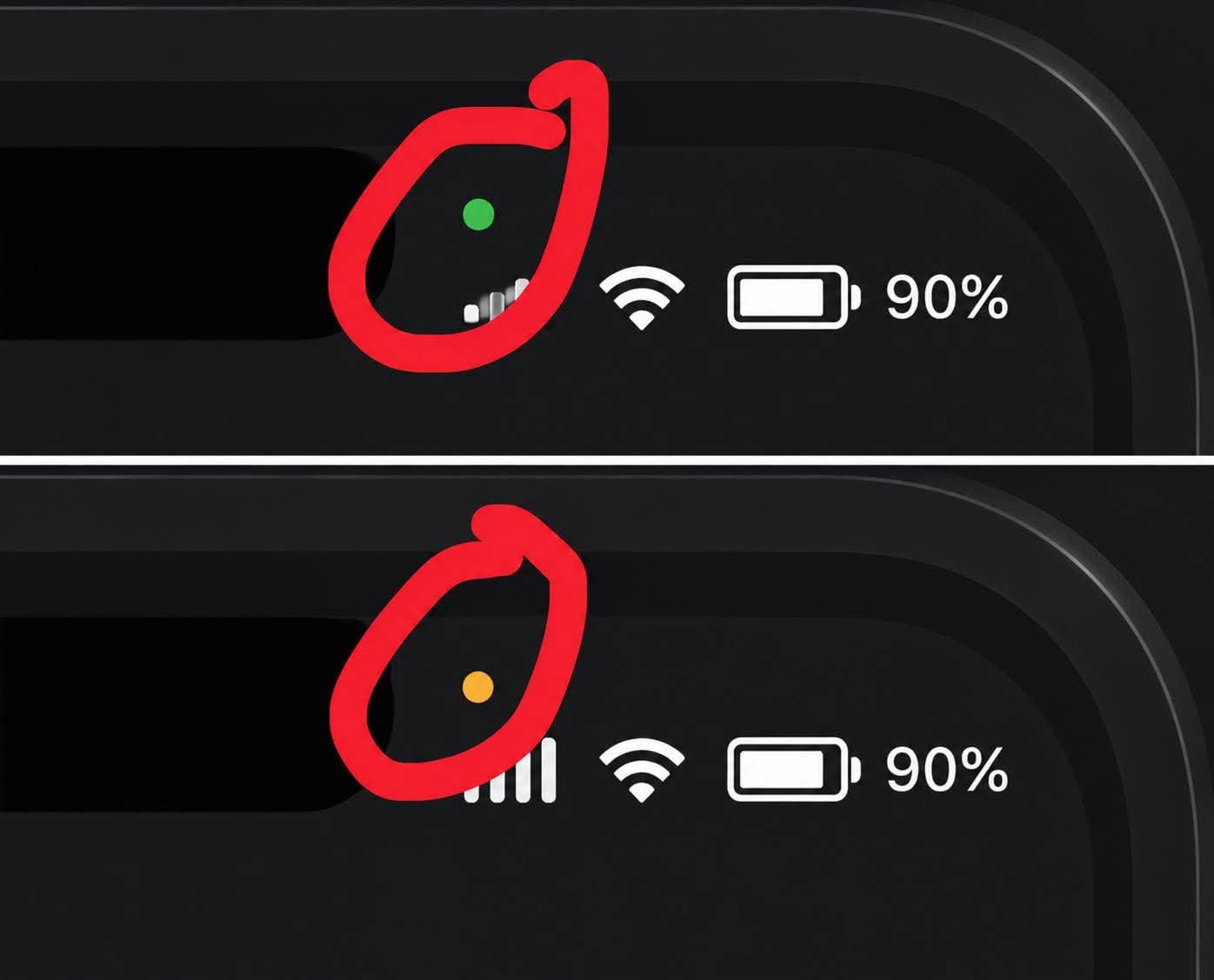
The green dot usually appears when an application is actively using your device’s camera. It may also show up when both the camera and microphone are being used at the same time, such as during a video call or while recording a video.
The orange dot, on the other hand, indicates that an application is currently accessing your microphone. This can happen during voice calls, voice recordings, video chats, or when using a voice assistant.
These indicators were introduced to give users greater control over their privacy and security. They help ensure that you always know when an app is accessing sensitive features like your camera or microphone.
[adinserter block=”4″]
Most of the time, seeing these dots is perfectly normal. However, if one appears unexpectedly while you’re not using any app that should need those permissions, it may be worth checking which application is running in the background.
Understanding these simple indicators can help you become more aware of your digital privacy and give you greater confidence in how your device operates. The next time a green or orange dot appears on your screen, you’ll know exactly what it means—and why it’s there. 📱🔒✨
[adinserter block=”5″]